
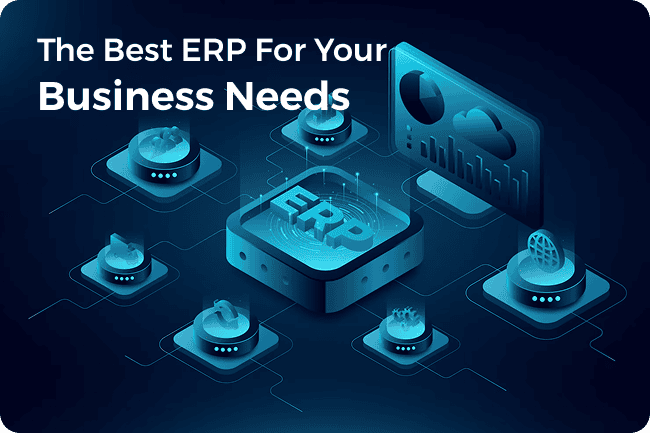
How to choose an ERP system? This is a decision that will directly affect your business in the decades to come. An ERP will change every single aspect of your business, from the processes to the people. Whether it simplifies or complicates them depends on your decision.
Many businesses come to us saying that they feel stuck with a long-term business partner and are working with processes designed for someone else’s business because they implemented the wrong ERP.
And no! Choosing an ERP system isn’t as simple as going for the most popular one. Your ERP project will be a failure if you’ve got:
- Wrong ERP implemented correctly
- Right ERP, but poor implementation
- Right ERP, but incorrect modules chosen
You need an ERP that’s relevant to your industry and fulfills your specific needs.
So, whether you’re a CIO looking for scalability, a CFO concerned about ROI, a business owner searching for cost-effective solutions, or an IT manager tasked with integration, you need this guide that has everything you need to know about how to select an ERP system while keeping your sanity intact in all stakeholder meetings!
5 Steps to Select The Right ERP For Your Business
From our experience working with over 800 clients across diverse domains, we’re sharing our approach to choosing the right ERP system for your business. We’ve broken it down into 5 simple steps.
Step 1: Identify Your Business Requirements
Before you even glance at vendor websites, you need clarity on what you actually need the ERP to do. Too many businesses start with a sales demo and end up falling for shiny features they’ll never use.
Here’s how to do it right:
A. Assess your current state
Get a complete overview of all your processes, from inventory to HR to finance. Then figure out which departments need a total overhaul. Identify the processes your new ERP tool will replace and which it will integrate with.
B. Define priority modules
Practically, it is not possible to replace your entire system at once with an ERP tool. So, start by creating a priority list. Which among the existing modules needs to change immediately? Include them in phase 1. You can always add the rest of the modules later in the next phase.
C. Set expectations
Once you decide which business processes and modules need an upgrade, figure out what exactly needs to change in each and what features you expect from the new ERP tool. Do you need real-time financial reporting? Is mobile access for field teams essential? And so on.
D. 3 questions to ask in step 1
- What problems are we solving with ERP? E.g., reduce inventory carrying costs, shorten the quote-to-cash cycle, improve financial visibility.
- How will we quantitatively measure the success of this project in 12–24 months?
- Which KPIs will prove ROI? E.g., Inventory Turns, Days Sales Outstanding (DSO), or Customer Order Cycle Time.
Pro Tip: This is the stage where an ERP consulting partner can save you weeks of work by guiding your requirements gathering process. Get in touch now.
E: Prioritize your requirements
You must prioritize this list. Use a system like MoSCoW:
Must-Have: Non-negotiable. The project is a failure without these.
Should-Have: Highly important, but not a deal-breaker. A workaround might exist.
Could-Have: “Nice to have” features that would be beneficial but are not essential.
Won’t-Have (for now): Explicitly out of scope for the initial implementation to prevent scope creep.
Step 2: Research And Compare ERP Solutions
Now that you know what you need, it’s time to explore the ERP systems available. Like we mentioned, just opting for a big name won’t guarantee results. Every ERP system has its pros and cons, and you need to weigh them to find out which one is right for you. Sometimes, you may find that a small, niche-specific ERP is better for your use case than a popular system.
A. Evaluate vendors
This is probably the most important task of the whole ERP selection process. You want to associate with a credible vendor who is willing and can be around for the next decade.
Create a Longlist of 10-15 Vendors: Use resources like Gartner Magic Quadrants and Forrester Waves, but also look at industry-specific software review sites and ask peers in your industry what they use.
Request for Information (RFI): Send a high-level document to your longlisted vendors asking them about their product and pricing models. You’ll know which ones aren’t a fit.
Create a Shortlist of 3-4 Vendors: Based on the RFI responses, narrow your list down to the most promising candidates.
Request a Demo: Don’t rely on the standard, canned presentation. Instead, provide them with 2-3 of your unique business process scenarios and ask them to demonstrate exactly how their system would handle them.
B. Cloud vs. On-Premise vs. Hybrid
This is a fundamental architectural decision that impacts cost and scalability.
| Factor | Cloud ERP (SaaS) | On-Premise ERP | Hybrid ERP |
| Hosting | Hosted on the vendor’s servers. Accessed via a web browser. | Hosted on your own servers at your physical location. | A mix, e.g., core financials on-premise for control, CRM in the cloud for accessibility. |
| Pricing Model | Recurring subscription fee (OpEx). Predictable monthly/annual cost. | Large upfront license purchase (CapEx), plus ongoing maintenance fees. | Combination of CapEx and OpEx. |
| Implementation | Generally faster to deploy as no hardware setup is required. | Longer implementation cycle due to infrastructure procurement and setup. | Complexity varies based on the integration points between systems. |
| Maintenance | Vendor manages all updates, patches, and server maintenance. | Your internal IT team is responsible for all maintenance and upgrades. | Shared responsibility between your team and the cloud vendor(s). |
| Scalability | Highly scalable. Easy to add users or resources as needed. | Scalability is limited by your hardware. Requires new investment to grow. | Can be highly scalable, leveraging the cloud portion for growth. |
| Control | Less control over the underlying infrastructure and update schedules. | Full control over your data, security, and customization. | Balances control over critical systems with flexibility from the cloud. |
| Best For | Businesses seeking flexibility, rapid deployment, remote access, and predictable costs. | Businesses with strict data residency/compliance needs, deep customizations, or a strong internal IT team. | Businesses wanting to modernize legacy systems gradually or keep sensitive data in-house. |
C. Integration capabilities
An ERP can’t work on its own. Ensure it can integrate with CRM, HRMS, supply chain systems, and e-commerce platforms. Evaluate the vendor’s integration architecture. Do they have a robust, well-documented API? Do they offer pre-built connectors for common applications? Understand whether integrations will require simple configuration or complex, custom development.
D. Due Diligence
Ask your vendor for references of companies that are similar to yours. Ask probing questions:
- “What was the biggest unexpected challenge you faced during implementation?”
- “How accurate was the budget and timeline you were initially given?”
- “On a scale of 1 to 10, how would you rate their post-go-live support?”
- “If you could do it all over again, would you still choose this vendor and this implementation partner?”
E. 3 questions to ask in step 2
- Have we thoroughly evaluated the long-term TCO implications of cloud vs. on-premise for our specific situation?
- Does the vendor have a proven track record and multiple, verifiable case studies within our specific industry niche?
- Will the new ERP tool integrate with your system seamlessly?
Step 3: Evaluate Fit And Implementation Strategy
Even the “best ERP” can be a terrible fit if it doesn’t align with your business model. In the previous step, you analyze the ERP tool objectively. In this step of ERP system selection, you also need to see how ready it is for “your” business.
A. Functional fit
The first question is, how much does the ERP tool support your existing processes? How much will they have to change to incorporate the new tool? How easy or difficult is this going to be?
Even the best ERP won’t match 100% of your processes out-of-the-box. That’s where gap analysis comes in to compare your “must have” requirements from Step 1 against the features of the shortlisted ERP systems.
For each requirement, you’ll have to find out whether the ERP software fulfills it with standard configuration or requires custom code. For certain clients, we’ve found that while the software may not support it directly, a change in their business process or a clever use of existing features can meet the need.
Best practice is to adapt your processes to the ERP’s standard workflows wherever possible, as these are often based on industry best practices. Only customize when the process gives you a unique competitive advantage.
B. Scalability
When you’re choosing an ERP system, you’re not choosing it for your current business only. You also have to keep in mind the expansion of your business and whether the ERP tool can handle them: more users, locations, product lines. Is it easy to add modules? How does the licensing change? Ask vendors specific questions about scalability:
Users: How does pricing change as we grow from 50 to 500 users?
Transactions: Can the system handle a 10x increase in order volume during our peak season without performance degradation?
Geography: How does the system support multiple currencies, languages, and country-specific tax regulations?
Business Units: How easy is it to add a new company or division after an acquisition?
C. Choosing the right implementation partner
Vendor is important, but your implementation partner can make or break the rollout. While the vendor sells the software, it’s the partner who makes it work for your business. Here’s a criterion to evaluate implementation companies:
Industry-Specific Expertise: This’ll help them tweak the ERP software according to the nuances of your industry.
A Proven Methodology: A structured approach like Agile or a hybrid Waterfall model helps limit surprises. Also, understand how the company manages project scope, budget, and timelines.
Change Management: A successful ERP project is 20% technology and 80% people. A good partner will have a strong strategy for increasing user adoption.
Post-Implementation Support: The work isn’t over when the system goes live. Most ERP vendors release updates throughout the year, and you need to implement those as well to stay on top of your game.
Pro Tip: Ensure they offer user training and post-go-live support. Often, the challenges arise after the system goes live. Get in touch now to get the right partners for your ERP implementation.
D. 3 questions to ask in step 3
- Can the ERP tool grow with your business? How easy or difficult is the process?
- Can your implementation partner offer you support till the very end, even after the system goes live?
- Can the ERP tool easily integrate with your existing system?
Step 4: Understanding ERP TCO (Total Cost Of Ownership)
This is where many businesses get blindsided. The sticker price you see on a vendor’s website is rarely the full cost. To make a sound financial decision, you need to calculate the TCO over a 5- to 7-year period. This is the real cost you need to evaluate against your projected ROI.
Here’s how to choose an ERP system, keeping in mind your budget:
-
Software licensing / Subscription fees
-
-
- Cloud ERP: Monthly or annual subscription based on user count and modules.
- On-Premise ERP: Large upfront license cost plus annual maintenance fees.
-
-
Implementation Costs
-
-
- Configuration, data migration, integration, project management, and training.
- Customization in case any development work is identified in the fit-gap analysis.
- The cost can be as much as (or more than) the software cost.
-
-
Hardware/infrastructure (on-premise)
-
- Hardware: Servers, data storage, networking equipment.
- Facilities: Space, power, and cooling for your data center.
- People Cost
-
- Training programs for all users.
- Salaries of your internal task force who will be dedicated to the project, reducing their capacity for their regular duties.
-
Ongoing support and maintenance
-
- Support & Helpdesk: Fees for ongoing technical support from the vendor or partner.
- Ongoing Training: For new hires and for continuous improvement.
- Scaling Costs: The cost of adding more users or modules as your business grows.
Pro Tip: Always request a detailed TCO estimate over 5 years. That’s the real cost you need to evaluate against your ROI.
Step 5: Know the Market Leaders (supported by Navsoft)
While there are dozens of ERP vendors, these are some of the most widely adopted and also offered by us. We’ve divided them into tiers so that you can choose accordingly.
Tier 1 (Large Enterprise)
SAP S/4HANA: The market leader known offering extensive functionality, especially in manufacturing and complex supply chains. Offers both on-premise and cloud infrastructures.
Oracle Fusion Cloud ERP: Designed for large enterprises needing a comprehensive, highly-scalable solution with extensive modules and AI-driven automation.
Microsoft Dynamics 365: A flexible platform that combines ERP and CRM capabilities. Its major strength is its seamless integration with the broader Microsoft ecosystem.
Tier 2 (Mid-Market)
Oracle NetSuite: A cloud pioneer, NetSuite is popular in the mid-market. Excellent for multi-entity businesses, e-commerce, and companies planning rapid growth or an IPO.
Epicor: An excellent choice for manufacturing, distribution, and retail. Offers both cloud and on-premise options.
Infor CloudSuite: Offers a wide range of industry-specific cloud ERPs, moving beyond a one-size-fits-all approach.
Acumatica: A modern, cloud-based ERP known for its flexible licensing model, which is based on resource consumption, not per-user fees, and strong usability.
Tier 3 (Open Source)
Odoo: An open-source ERP that offers incredible flexibility at a lower price point. Its modular approach allows businesses to start small and add applications as they grow. It’s a powerful option but often requires a strong technical partner to customize and implement effectively.
Pro Tip: If a software cannot be used as is for your business, choose a partner like Navsoft who can customize it for you. Get in touch now.
How To Choose The Right ERP System: Your Final Checklist
Before you pull the trigger, run through this final checklist.
- Strategic Alignment: Your business requirements are clearly documented and signed by all stakeholders.
- Vendor Due Diligence: 2-3 vendors shortlisted with demos done of your core processes, and thoroughly checked references.
- Integration plan in place: You have a clear plan for integration with your existing systems and the new ERP architecture aligns with your long-term IT strategy.
- TCO calculated for 5 years: You have a realistic 5-year TCO calculation, and the budget has been approved.
- Implementation partner chosen: You have selected an implementation partner with proven experience in your industry and a methodology that aligns with you.
- Change management: You have a comprehensive plan for user training and managing the transition. The team looks at this as a business transformation, not just an IT installation.
Need Help Choosing the Right ERP for Your Business? Let Us Know!
With 25+ years of ERP consulting and implementation experience, we don’t just recommend systems; we customize them according to your requirements.
From startups to enterprises, across industries like manufacturing, retail, insurance, and healthcare, our clients rely on us for solutions that actually transform their operations.
Here is an example:
Signature Systems Group (Manufacturing): Navsoft led a full-scale digital transformation, revamping an outdated ERP to modern infrastructure, resulting in a 35% productivity boost, 49% operational efficiency gain, and 28% annual sales growth.
We’re able to deliver such results because our approach is strategic. We assess your current setup, define the right modules, manage integrations, deliver seamless implementations, and ensure your teams adopt the system smoothly through effective change management, and most importantly, it doesn’t end on go-live!
Ready to experience ERP transformation that actually delivers? Get your ERP consultation now.
Conclusion
Selecting the right ERP isn’t about finding the system with the most features; it’s about finding the one that fits your business now and grows with you in the future.
The businesses that succeed with ERP selection do three things right:
- They know exactly what they need before they start shopping.
- They compare vendors based on fit, not flash.
- They understand the real cost and commit to proper implementation.
If you’re ready to explore ERP options and want a process that’s proven to work, book a session with our ERP experts. We’ll help you choose a platform that’s scalable, cost-effective, and built for your growth.
FAQs:
Q: How do I evaluate which ERP truly suits my industry?
A: Start by identifying vendors who are experts in your industry. Identify the companies they have implemented for before, and ideally look for those that are similar in size and complexity. Along with overall industry experience, also check whether they have expertise in executing modules that you require. Finally, ask their existing clients about post-go-live support, which is crucial in the first 90 days.
Q: Do small businesses/startups actually need ERP, or is it overkill?
A: If your current tools leave you juggling spreadsheets, chasing data across multiple systems, or making decisions without real-time visibility, ERP isn’t overkill; it’s an investment in control and scalability.
Q: How long does ERP implementation actually take?
A: There’s no one-size-fits-all answer; your timeline depends on the number and complexity of modules, the readiness of your data for migration, the approval from stakeholders, and the availability of internal teams for testing and training.
Q: How do I justify ERP costs to the board or stakeholders?
A: Instead of selling it as a “software purchase,” present it as a multi-year ROI project. Build your business case around reduction in manual hours, decrease in error-related losses, faster reporting cycles, and improved customer satisfaction.
Q: Should I choose a cloud ERP or an on-premise deployment?
A: The decision often comes down to compliance requirements, internal IT capabilities, and cash flow preferences.
- Cloud ERP is best for companies wanting fast deployment, remote accessibility, and predictable subscription costs.
- On-Premise ERP suits companies with strict data residency laws, in-house IT resources, or highly customized workflows.
Q: What’s the biggest hidden cost in ERP projects?
A: Many businesses underestimate change management. This includes the time and cost of training users to adopt new workflows, temporary productivity dips during the transition, and ongoing optimization after go-live
Q: What should I look for in an ERP implementation partner?
A: Beyond technical expertise, look for post-go-live support plans, industry experience, and change management services.